Cove Wallet + Tailscale (connect to your own node)
Posted over 1 year ago by AF_reload
Since Cove Wallet doesn't use Tor (at the time of writing), this is a good option for using our sats anytime while maintaining privacy.
Procedure.
1 install the Cove Wallet app on your smart device.
2 install Tailscale on your node, it will ask you to create an account using email. Install the application on your smart device and use the same email that you used on your node.
https://image.nostr.build/4952aac246d9ae0db7ca9103084b892ea3b9fbbbcf79463531f8c0311b23c72b.jpg
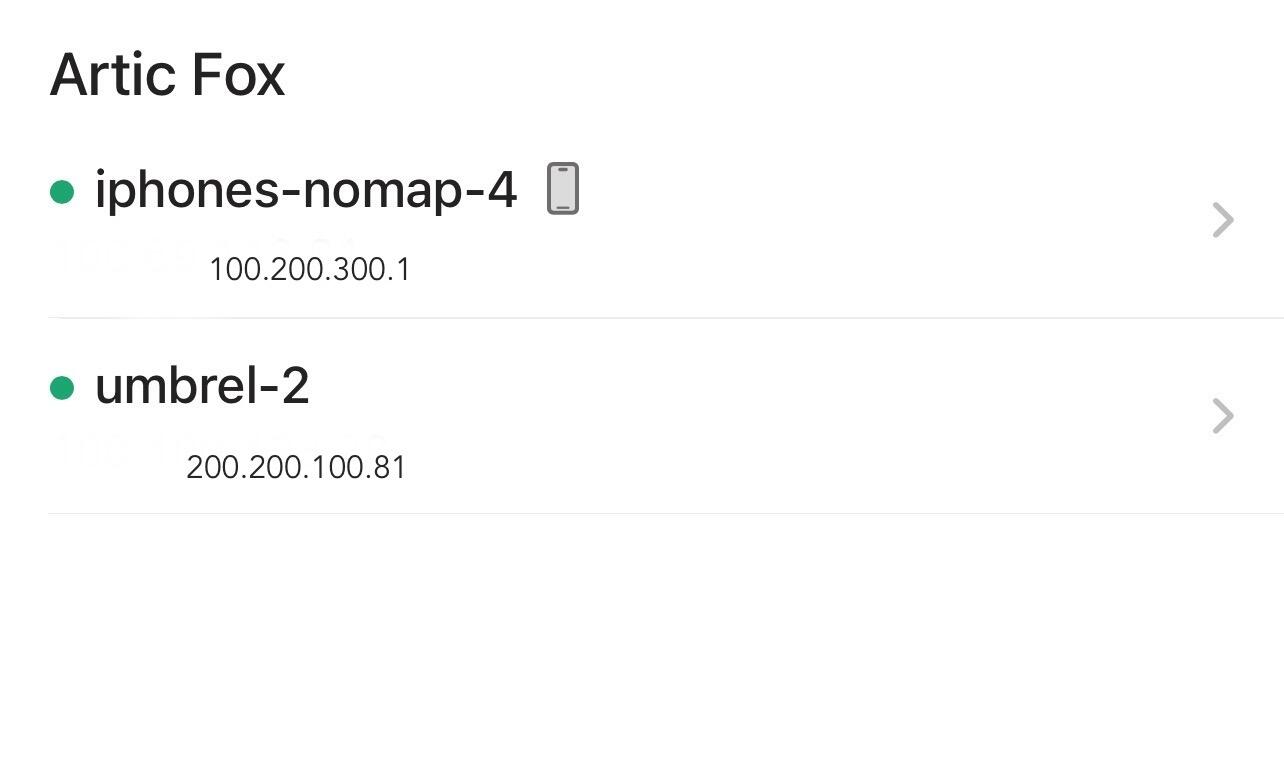
3 on your smart device open the Tailscale application and log in, you will see two devices connected with their own IP (your node and your cell phone, in my case), press the name of your node and your addresses will appear, IPV4, magicdns, IPV6, in addition to the expiration of your access key. https://image.nostr.build/2067862c814619327ff5f3a43682d8a642cf5123a89b7763b8e96f7fb83fc2d6.jpg
1 install the Cove Wallet app on your smart device.
2 install Tailscale on your node, it will ask you to create an account using email. Install the application on your smart device and use the same email that you used on your node.
https://image.nostr.build/4952aac246d9ae0db7ca9103084b892ea3b9fbbbcf79463531f8c0311b23c72b.jpg
3 on your smart device open the Tailscale application and log in, you will see two devices connected with their own IP (your node and your cell phone, in my case), press the name of your node and your addresses will appear, IPV4, magicdns, IPV6, in addition to the expiration of your access key. https://image.nostr.build/2067862c814619327ff5f3a43682d8a642cf5123a89b7763b8e96f7fb83fc2d6.jpg
Test
We are going to copy and paste the IPV4 address into your browser, the log in of your node should appear, in my case it is umbrel.
With this we know that there is a connection with our node.
We are going to copy and paste the IPV4 address into your browser, the log in of your node should appear, in my case it is umbrel.
With this we know that there is a connection with our node.
Connect tailscale to Cove Wallet
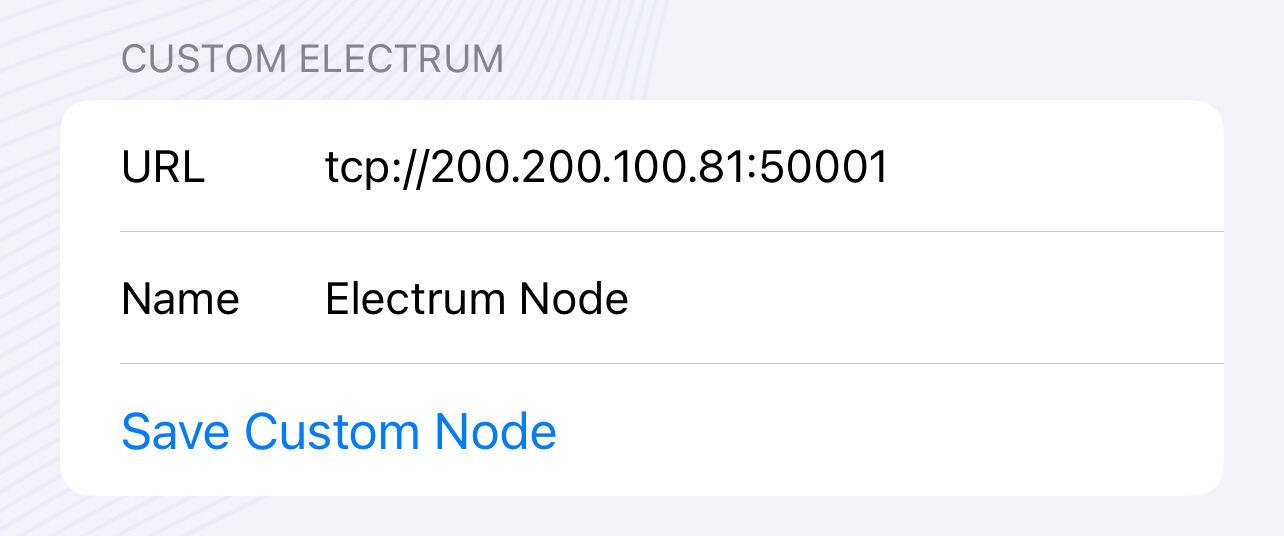
- On our device, open the Cove Wallet app and select the three lines in the top left corner. Then, select Settings > Node > Electrum Custom. Paste the IPv4 address and add 50001 to the end, this is the port used by Electrum on our node. You can also use magicdns and add port 50001 to the end. For example: http://200.200.100.81:50001
If everything is ok you should read a connection notification.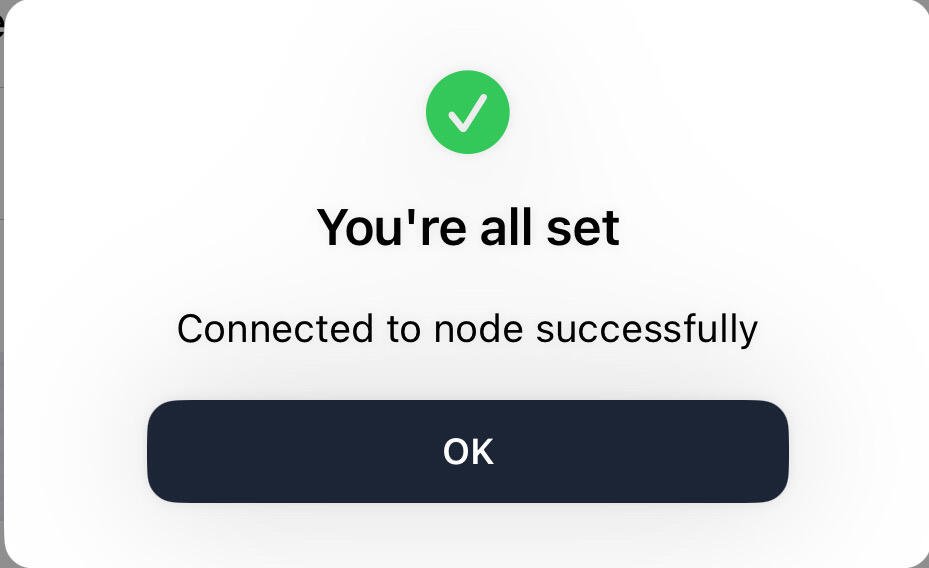
Important considerations
-Wallets are updated and only work with IPv4 when tailscale is enabled.
-Tailscale keys expire, pay attention to updates and repeat the process.
-Wallets are updated and only work with IPv4 when tailscale is enabled.
-Tailscale keys expire, pay attention to updates and repeat the process.
remember not your keys not your coins
Liked the article? Send Zaps
Liked the article? Send Zaps
Articfox@getalby.com
0 Comments
Please login to post comments.

Latest news

How to create a Ln account connected to your node using Bluewallet and Tailscale.
Posted 11 months ago

Umbrel + Albyhub + Alby Go Accounts
Posted over 1 year ago

Compound Annual Growth Rate (CAGR) Bitcoin
Posted over 1 year ago

Walkthrough NFC Sticker + Watch-Only (Zpub) Bitcoin
Posted over 1 year ago