
LN+'s Posts

LND 0.17.0 Beta Release: Taproot Channels and Faster Syncs
Posted about 3 years ago
Introduction of Simple Taproot Channels
- LND becomes the inaugural Lightning protocol to present Taproot channels, facilitating superior on-chain privacy and cost efficiency.
- These channels merge the efficiency of Schnorr signatures with Taproot, making on-chain operations more space- and cost-efficient.
- In the initial phase, these channels are unadvertised. Public Taproot channels are on the horizon with the development of Gossip 1.75.
Lightning Speeds with Neutrino
- Neutrino, a Bitcoin light client tailored for mobile Lightning nodes, now syncs faster than ever.
- Syncing nodes is now 400x quicker, thanks to improvements in filter fetching and storage. Filters are batch-fetched in groups of 1,000, slashing sync time.
Revamped Watchtowers
- The new update introduces disk persistence for the watchtower client, minimizing memory usage and amplifying reliability.
- Pending updates from removed tower sessions are now reallocated to other sessions, ensuring the consistent delivery of updates.
Looking Ahead
- Upcoming versions promise more advancements based on Taproot Channels, such as Taproot Asset Channels and the integration of Gossip 1.75.
- These developments hint at a brighter future for Bitcoin, merging the best of Taproot – privacy, cost-efficiency, and script versatility – with the Lightning Network.
Demystifying the Lightning Network's Potential
Posted about 3 years ago
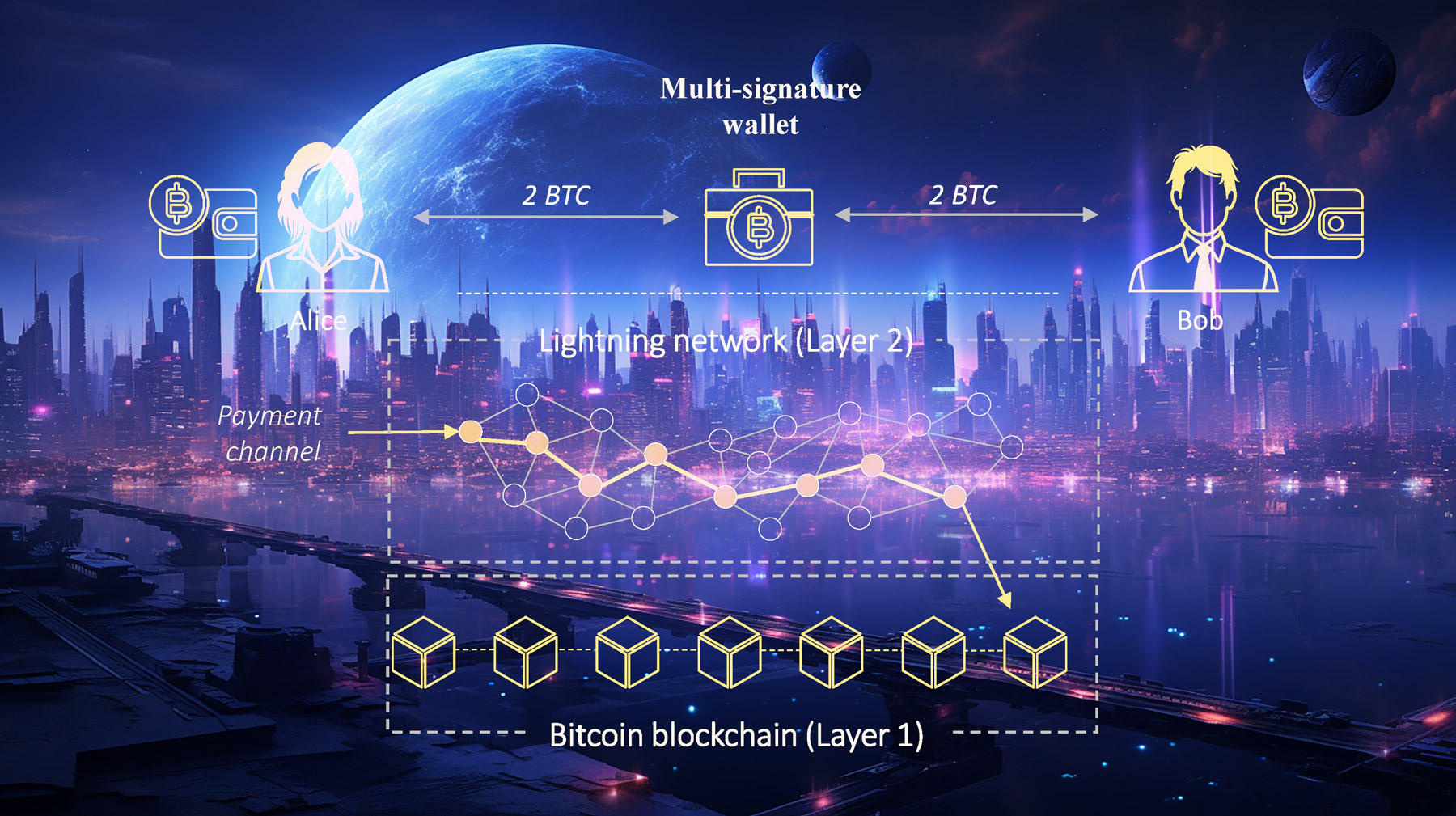
The Lightning Network in a Nutshell
How the Lightning Network is Changing the Game
- Cross-Border Transactions: Think of remittance payments, where billions are lost annually due to transaction fees. The LN can significantly cut down these costs. By swiftly converting currencies through Bitcoin, LN can enable quick and inexpensive funds transfer globally.
- IoT & Machine-to-Machine Payments: The Internet of Things (IoT) holds vast potential, but monetizing it has been a challenge. The LN introduces a straightforward micropayment system. Imagine an autonomous taxi that pays for its charging or a smart fridge that handles its electricity bill.
- Decentralized Exchanges: Centralized exchanges have been vulnerable to hacks, leading to massive financial losses. LN can bolster decentralized exchanges, eliminating the need to trust central entities with user funds.
- Digital Assets Transfers: Beyond Bitcoin, LN facilitates the transfer of other digital tokens, like stablecoins. Using protocols such as RGB, the LN makes token transfers more scalable and confidential.
- Ecosystem Growth: Several companies and service providers, like Zap, BlueWallet, and Bitrefill, are building around the LN, contributing to a robust ecosystem. From merchants to gaming app developers, a diverse array of stakeholders is capitalizing on the LN's capabilities.
Challenges Ahead
Looking to the Future
Read the full study!
Understanding Bitcoin Lightning Network forwarding
Posted about 3 years ago
Forwarding: A Vital Cog in the LN Machine
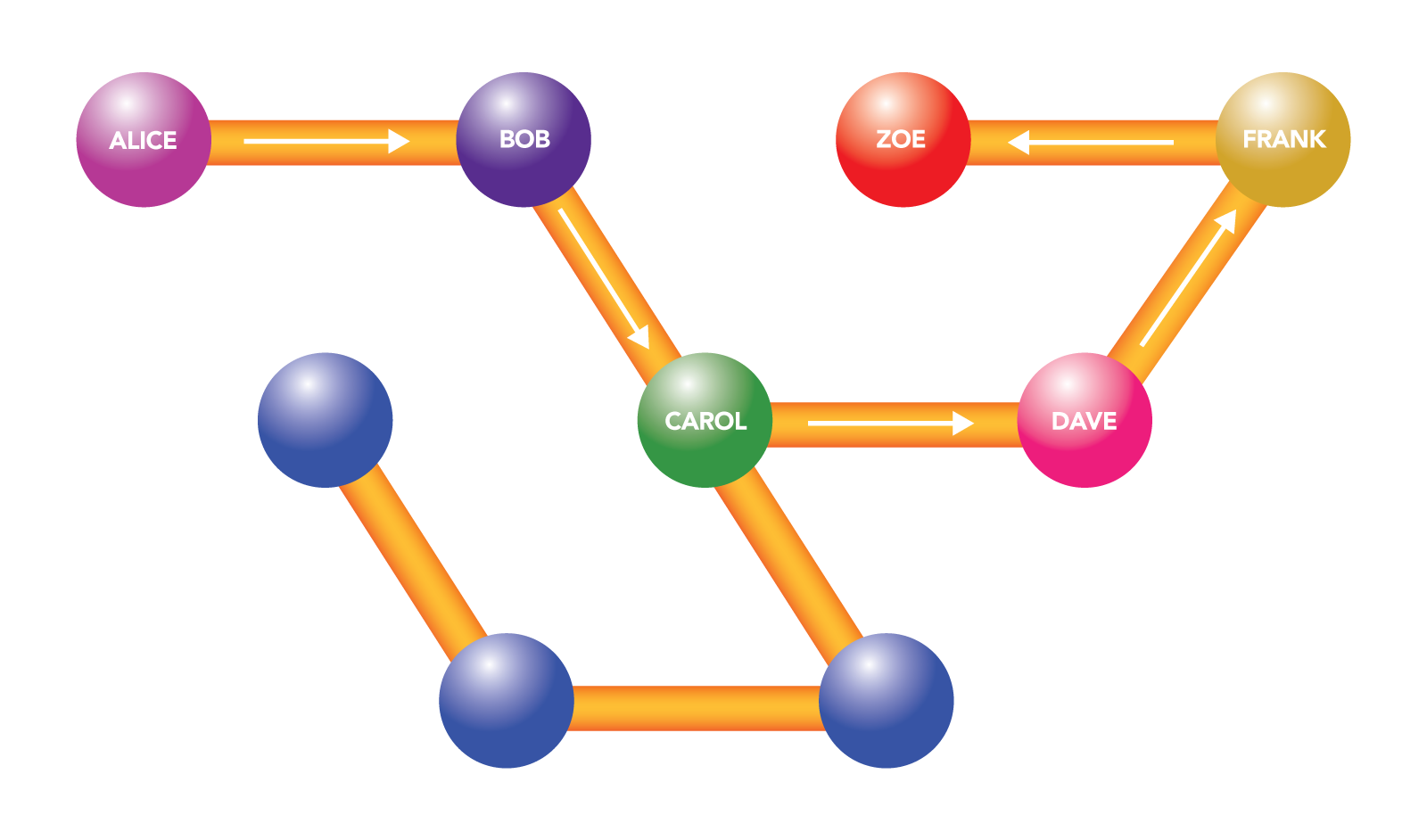
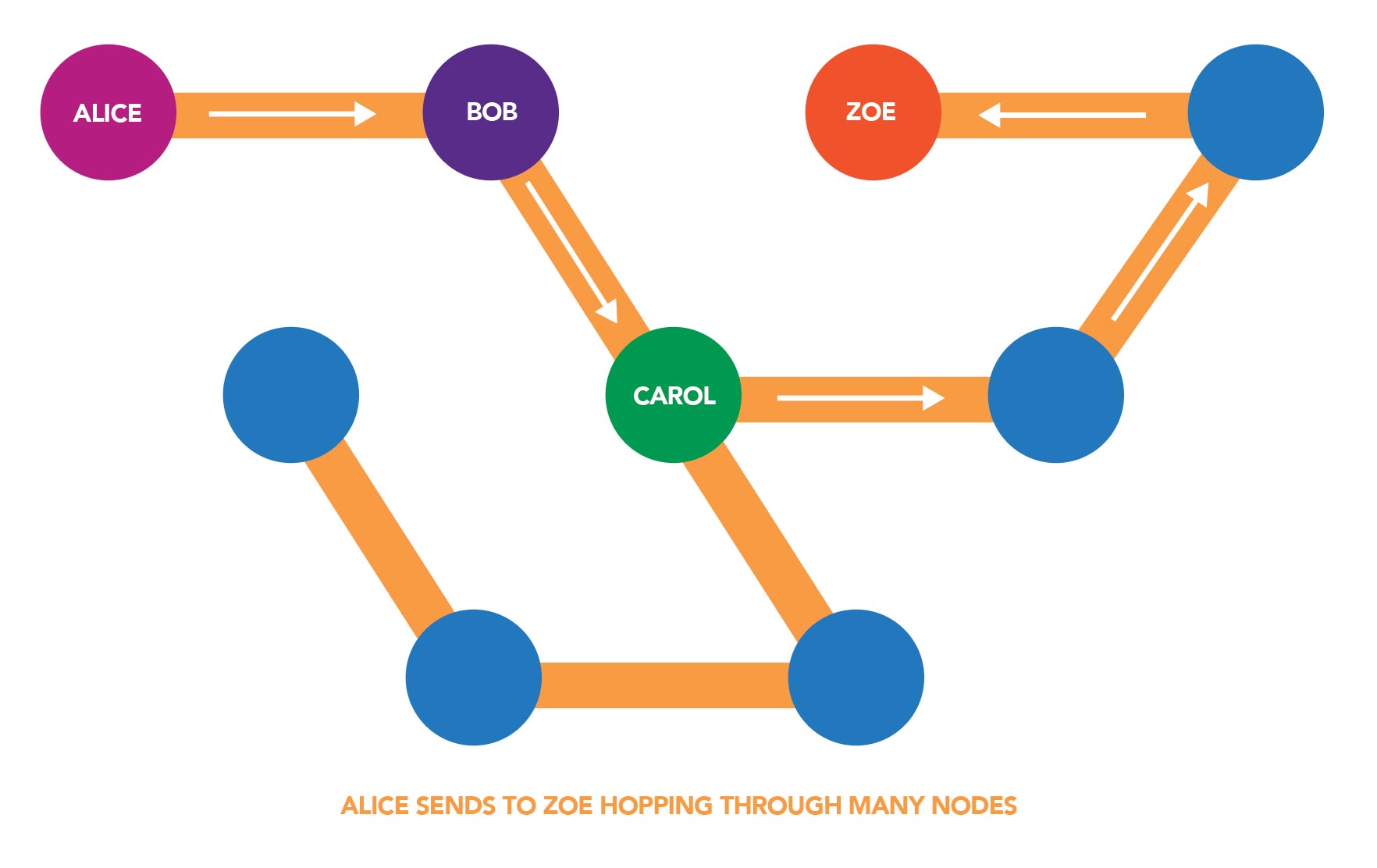
Imagine Alice wants to send payments to Zoe, but they don’t have a direct channel between them. If Alice has a channel with Bob, and Bob has a channel with Carol, who in turn has a channel with Dave, and Dave has a channel with Frank, and Frank has a channel with Zoe, then Alice can forward her payment through Bob, Carol, Dave and Frank to get to Zoe.
The Role of Public Channels in Forwarding
The Cost of Forwarding: Two Types of Fees
- Base Fee: This is a fixed fee that a node charges for every payment it forwards, irrespective of the payment amount.
- Fee Rate (or Proportional Fee): This fee is proportional to the amount being forwarded. For example, if a node charges a fee rate of 1,000 ppm (parts per million), then for every 1 Bitcoin it forwards, it will charge 0.001 Bitcoin.
The total fee for forwarding a payment is a combination of these two fees. Different nodes can set their own fees, leading to a competitive marketplace for routing payments.
Reasons Why a Forwarding Request May Fail
- Insufficient Funds in Channels: The most common reason is that one of the intermediary channels doesn’t have enough funds on the sending side. For instance, if Alice is trying to send funds through Bob to Charlie, but Bob doesn't have enough funds in his channel with Charlie, the payment will fail.
- Channel Capacity: Even if funds are available, a channel might not have the required capacity to handle a large payment. Payments on the Lightning Network can't exceed the capacity of the smallest channel in their route.
- Fee Mismatch: If the total fee required by intermediaries is more than the fee provided by the sender, the forwarding request can fail.
- Channel Closure: If one of the channels in the route gets closed while the payment is in transit, the payment will not go through.
- Route Unavailability: The Lightning Network tries to find the shortest and cheapest path for the payment. If no route is found that can handle the payment size or if all possible routes are exhausted, the payment fails.
- Node Unreliability: If one of the nodes in the chosen path is frequently offline or unstable, it can lead to payment failure.
- HTLC Limits: The Lightning Network uses Hashed Time-Locked Contracts (HTLCs) for secure fund transfers. There's a limit to how many concurrent HTLCs a channel can have. If this limit is reached, the channel can't forward any more payments until some of the current ones are settled.
- Time Locks Expiry: Payments in the Lightning Network are locked for a certain time duration to ensure security. If the payment isn’t completed within this time frame (perhaps due to long routes or slow nodes), it will fail.
- Privacy Concerns: Some nodes, due to privacy concerns, might reject payments that originate from or are destined to certain nodes, causing a forwarding failure.
Strategies to Maximize Earnings on a Node
- Optimal Channel Balancing: Regularly monitor and balance your channels. If a channel is imbalanced (e.g., most funds are on one side), it may not be able to forward many payments. Using tools and services that help in rebalancing can be advantageous. However if you have a channel that always forwards only one way, balancing may not be necessary and even disadvantageous. Check each channel individually to see what kind of behaviour they demonstrate.
- Competitive Fee Setting: Set your fees at competitive rates. If they're too high, users might opt for cheaper routes. If they're too low, you might not make a worthwhile profit. Monitoring the network's average fees can guide your pricing.
- Strategic Channel Openings: Open channels with well-connected and active nodes. This increases the chances of your node being in the path of payment routes. However, large nodes are already well connected so you are competing with other channels that can handle the forwarding already. Smaller nodes could be a good source of traffic, especially if they are operated by active economic actors, like stores, payment systems, etc.
- Uptime is Key: Ensure your node is online and reliable. If it frequently goes offline or is unstable, it will be less likely to be chosen for forwarding payments.
By understanding the intricacies of forwarding on the Lightning Network, one can better appreciate its decentralized and dynamic nature. Whether you're a casual user or a node operator looking to maximize profits, a deep dive into forwarding reveals yet another layer of the LN's innovative approach to scaling Bitcoin.
Lightning Makes Bitcoin Unstoppable! — Backstage with David Marcus
Posted about 3 years ago

A Walkthrough of a Bitcoin Lightning Network Channel Transaction
Posted about 3 years ago
Introduction
Opening a Payment Channel
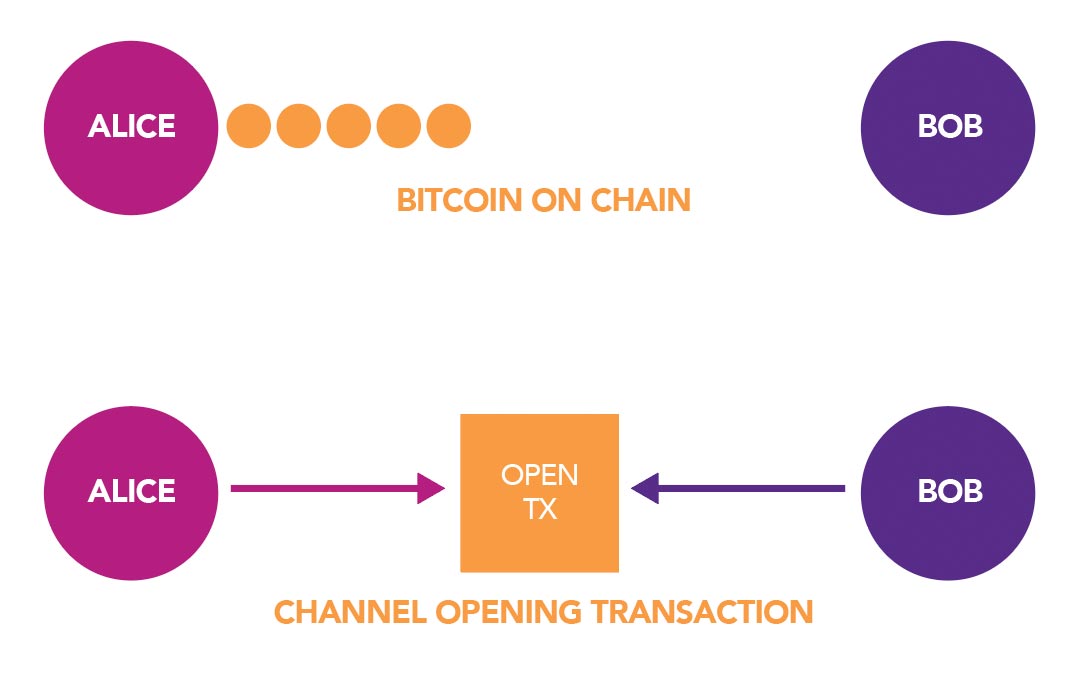
Transacting on the Lightning Network
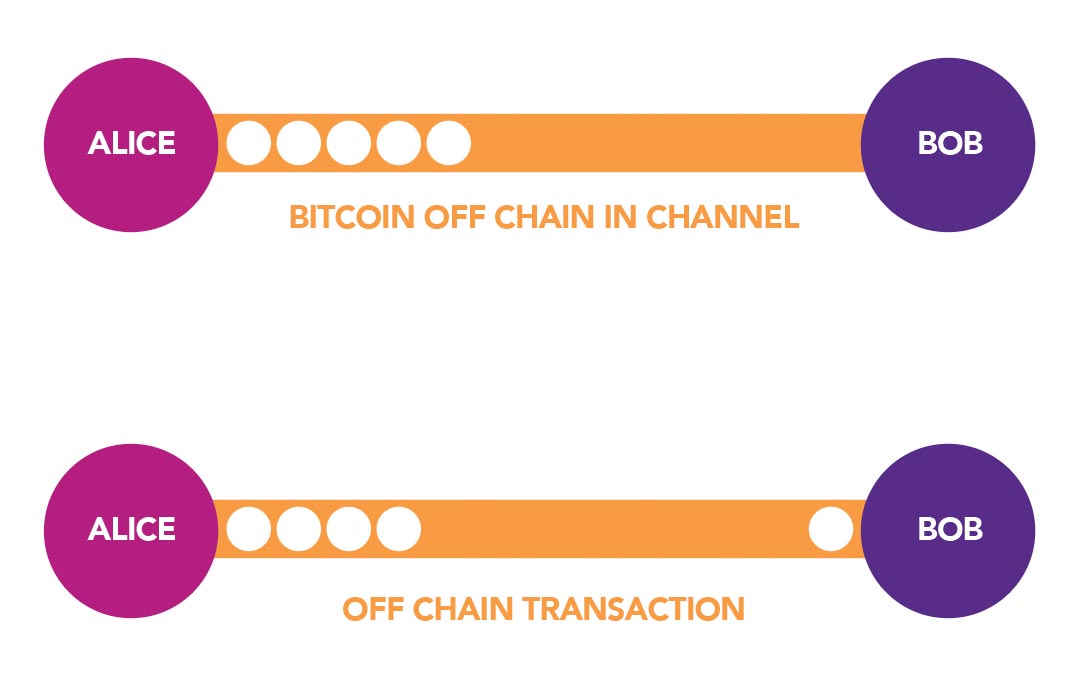
Updating the channel’s fund distribution: After each transaction, the distribution of funds within the channel changes. Both parties maintain a local copy of the channel's state. For instance, if Alice funds a channel with 0.5 BTC and sends 0.1 BTC to Bob through the channel, she now holds 0.4 BTC and Bob 0.1 BTC in channel balances.
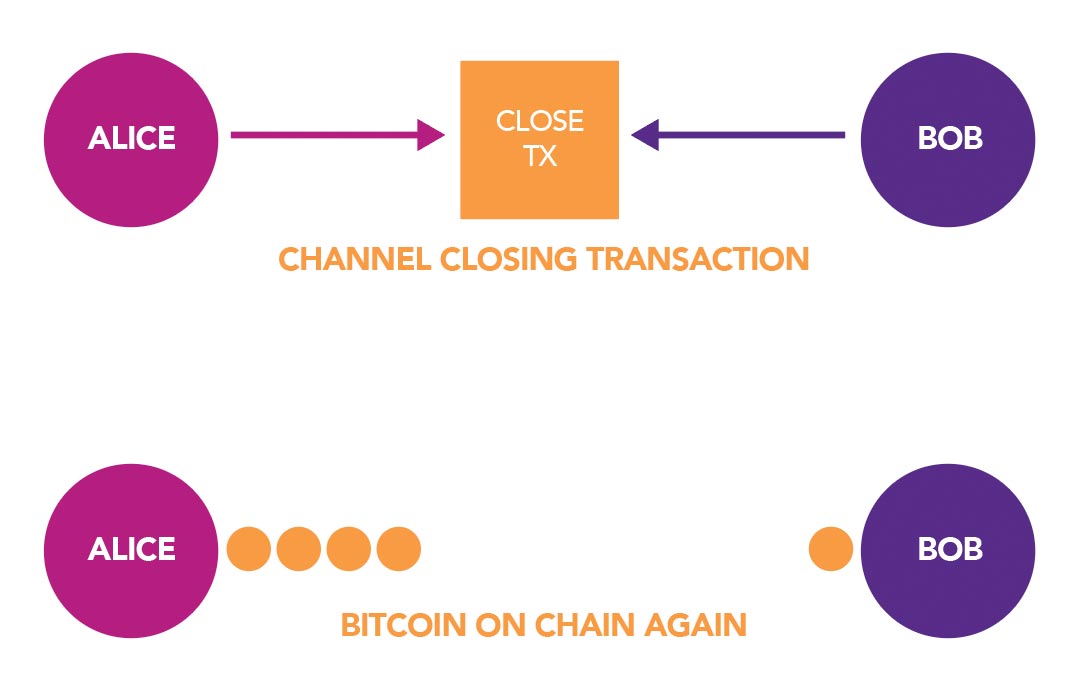
Closing a Payment Channel
Forwarding on the Lightning Network
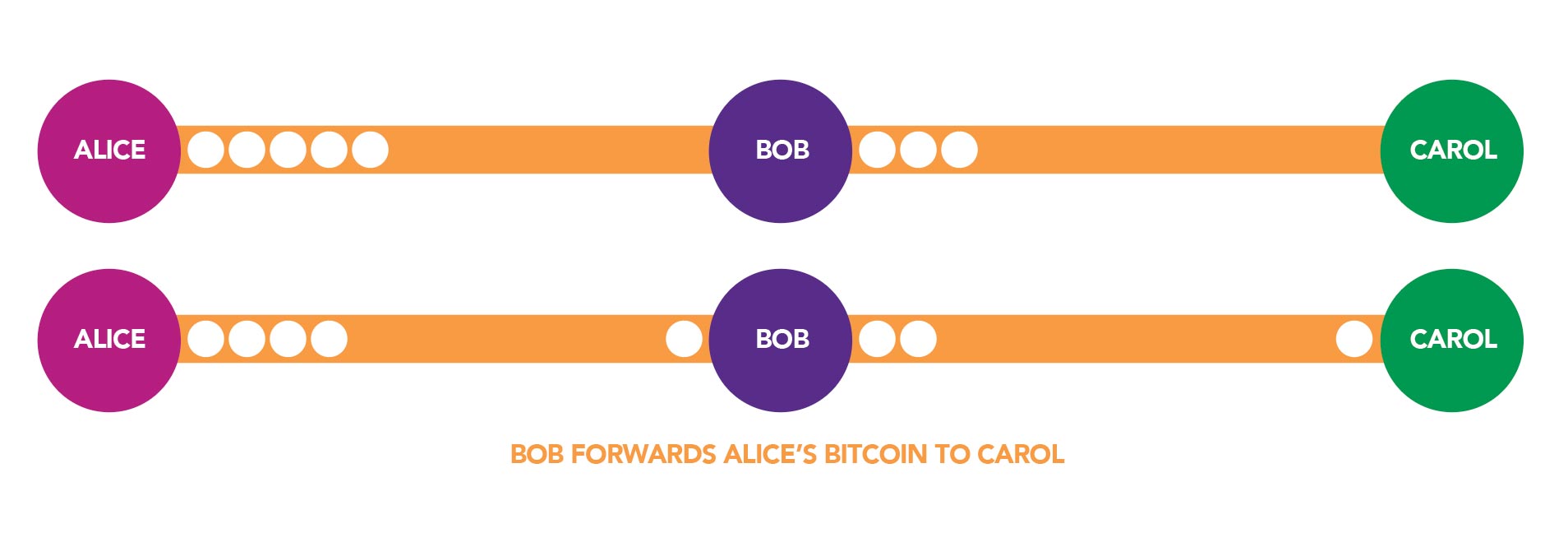
- Alice has a channel with Bob, where she possesses 0.5 BTC.
- Bob, in turn, has a separate channel with Carol, holding 0.3 BTC of his own.
The Transaction Sequence:
- Intent: Alice wishes to send Carol 0.1 BTC. However, Alice doesn't have a direct channel with Carol. Instead of establishing a new channel (which would be resource-intensive), Alice can utilize Bob as an intermediary to route her payment.
- Transaction to Bob: Alice sends 0.1 BTC to Bob on their shared channel. After this, Alice's balance reduces to 0.4 BTC, while Bob's balance on the Alice-Bob channel increases to 0.1 BTC.
- Forwarding the Payment: Bob, upon receiving the 0.1 BTC from Alice, forwards this amount to Carol on their own channel. This reduces Bob's balance to 0.2 BTC on the Bob-Carol channel, while increasing Carol's balance.
- Forwarding Fee: For his role in facilitating this transaction, Bob retains a tiny amount—let's say a few Satoshis—as a forwarding fee. This incentivizes nodes to participate in routing payments, ensuring the fluidity and functionality of the network.
Forwarding isn't restricted to just three nodes. Payments can be routed through multiple nodes, essentially connecting any node with any other within the Lightning Network. However, all this complexity is abstracted away from the user, with the task of finding payment routes being automated within wallets.
This forwarding mechanism exemplifies the prowess of the Lightning Network, enabling transactions between parties that don't share a direct channel, and fostering a more interconnected and efficient network. Through smart routing and minimal fees, users benefit from faster transactions without the need for global consensus on every payment.
Advantages and Challenges
Conclusion
What's Next?
Introducing the Revolutionary LN+ Liquidity Pool
Posted about 3 years ago
Some time ago, together with a few LN users we imagined a system reminiscent of a massive and extended liquidity swap (that many of you know well and use frequently), where every channel you open and every transaction you make is reciprocated over the long term. This isn't just a vision; it's the foundation behind the LN+ Liquidity Pool. Just as liquidity swaps allow for short-term reciprocity, our new system promotes long-term cooperation across the entire network. It's like the traditional concept of liquidity swaps, but on a grander and more prolonged scale.
Opening the LN+ Liquidity Pool
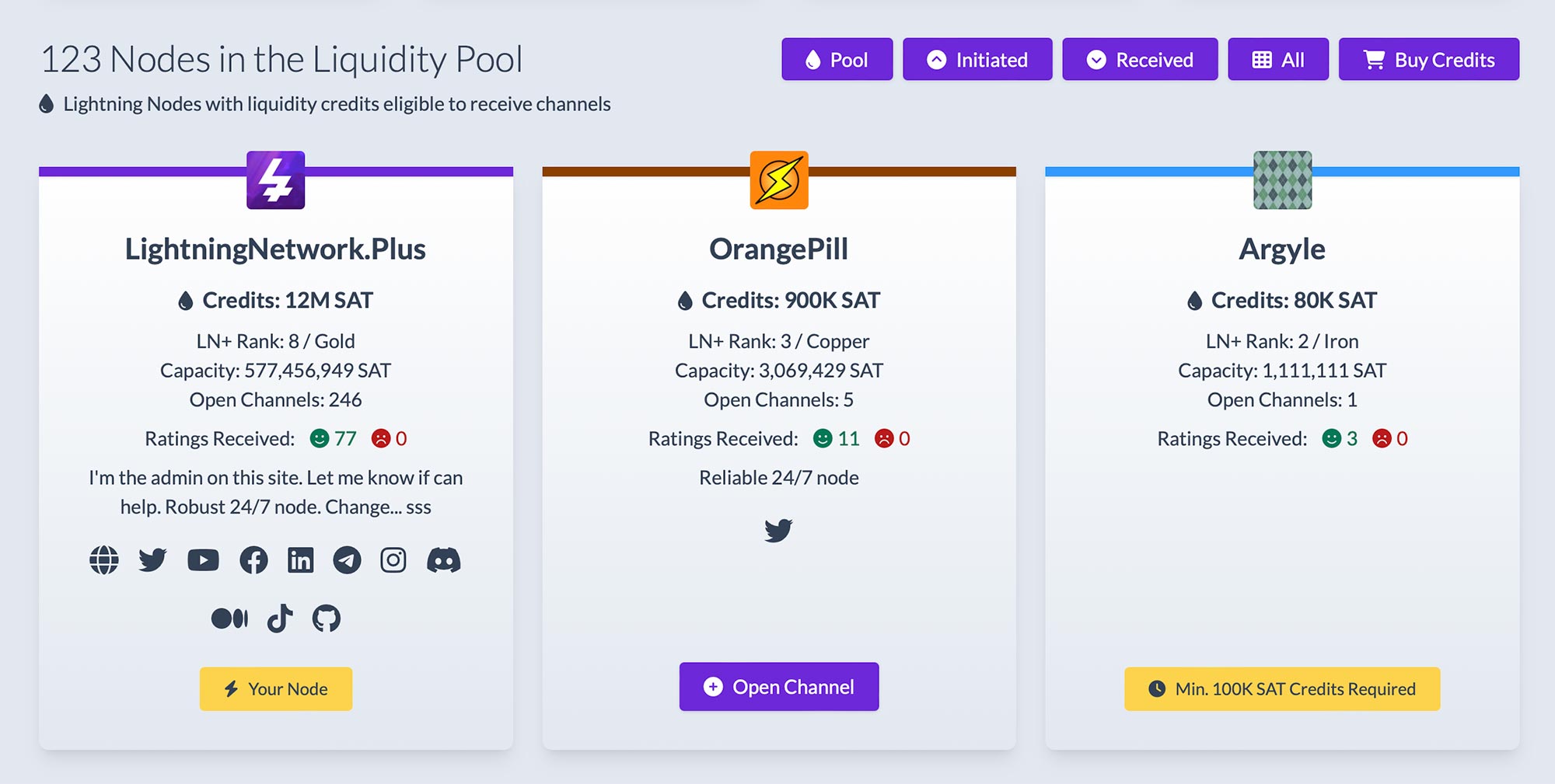
How To Dive Into the LN+ Liquidity Pool
- Login with your lightning node to LN+ using a signed signature.
- Optionally purchase liquidity credits and fast-forward to step 7, otherwise proceed to step 3.
- Or, to get involved without spending, select a node in the pool to open a channel.
- Patiently await acceptance of your channel opening offer (also called credit transaction) from the other node.
- Upon acceptance, initiate the channel opening.
- Watch as you automatically and gradually accrue credits over a span of 50 days – a fixed timeframe, during which the channel needs to stay open.
- Once you've gathered some credits, other nodes will approach you with their channel own opening offers.
- It's your call - accept or decline as you deem fit.
- After accepting an offer, wait for a channel to be opened towards you by another node.
- The cost of the new channels will be covered by your liquidity credits over the subsequent 50 days.
Why Should You Jump In
- Fluidity: No strict time frame constraints for opening and receiving channels.
- Flexibility: Tailored channel sizes, depending on your preferences.
- Inclusivity: Beginners and merchants can easily integrate with the community by buying liquidity credits.
- Control: You decide your channel partners – both for opening and receiving.
- Cost-effectiveness: Earn liquidity credits just by opening channels. Stay active within the pool, and you could maintain a profitable node without added costs of needing to ever loop out to establish incoming liquidity.
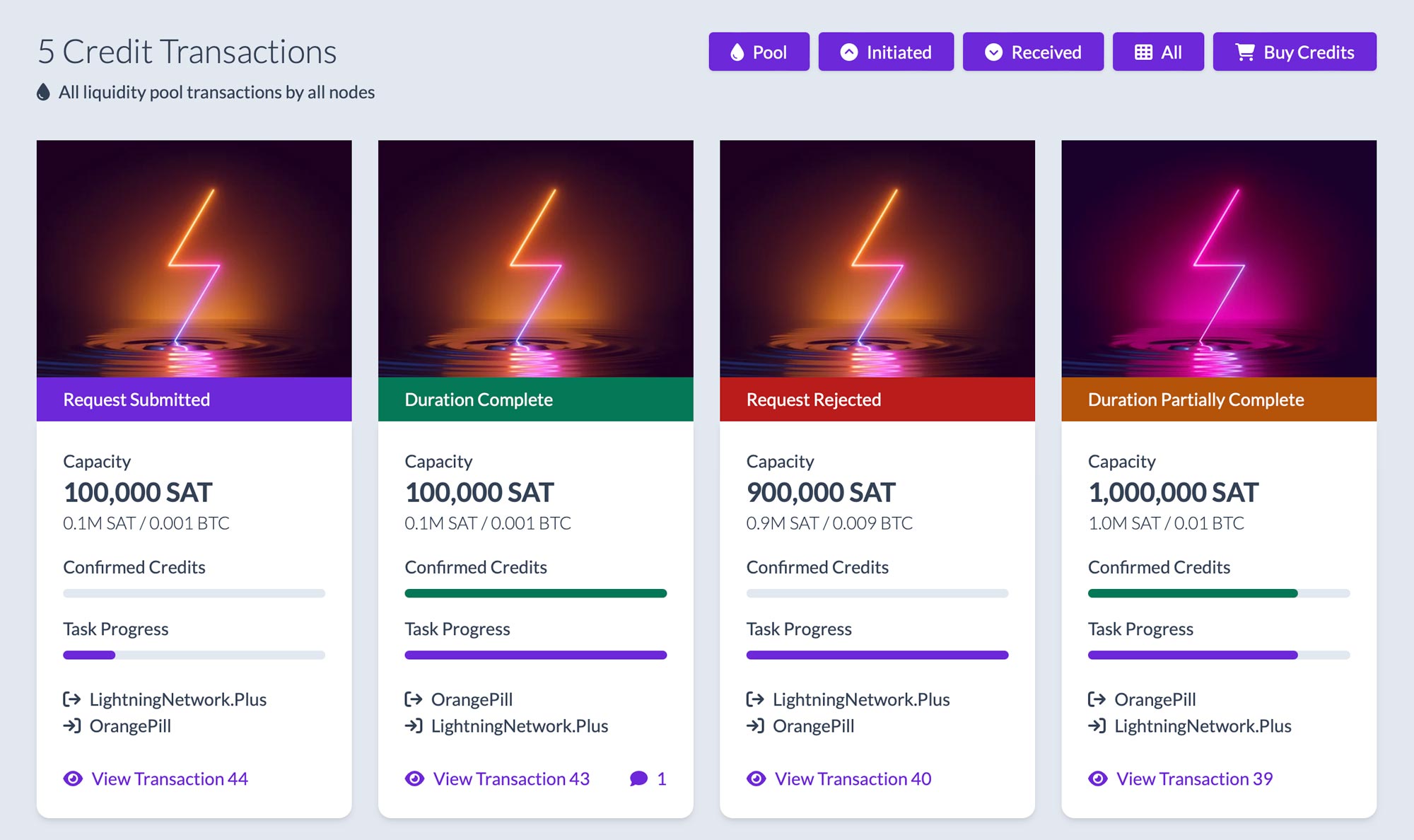
Liquidity Credits Explained
Comparing the Pool with Swaps
Benefits of the Pool over Swaps:
- You have full control over who you connect to. In swaps you partially rely on luck for some of your connections.
- As a merchant, you can join the pool and start receiving channels even if you don't have capacity to open more channels of your own. This requires you to buy liquidity credits from LN+. In swaps, you're required to open channels as well.
- Pool channel opens is a continuous process without a specific end. Swaps happen within a specific time frame.
- In the pool the channels you open and the channels you receive can be of a different size and quantity. In swaps the opened and received channels are of equal size.
Benefits of Swaps over the Pool:
- Channel opens happen potentially faster, sometimes within 24h. Pool is a continuous process without a specific end.
- Some of the connections are partially accidental which is good for LN's decentralization and equity. The pool connections are fully under your control.
- Easier to understand and explain how a triangle works with 3 node operators opening to each other. The pool has the concept of liquidity credits that ensures fairness in the system, but adds some complexity.
In case you are wondering, how the Liquidity Pool and Swaps compare to other solutions in the market? The most important benefit of LN+'s services is that you can use them entirely free to achieve incoming liquidity and to grow your node twice as fast without additional cost to open those extra channels.
The Pool is Now Open
Take the plunge!

Navigating the Bitcoin Lightning Network: A beginner's node setup guide
Posted about 3 years ago
1. Lightning Network Daemon
If you're comfortable with the command line, follow the steps below to get started. Otherwise, skip to the next option, which makes the process more user friendly.
- A computer or VPS with a minimum of 2GB RAM.
- Sufficient storage for the Bitcoin blockchain and the lightning channel states (1TB recommended).
- Bitcoin Core or btcd (for the backend).
Steps:
- Install Bitcoin Core: You need to run a Bitcoin full node for LND to work. Download Bitcoin Core from the official website and sync it with the Bitcoin blockchain.
- Install LND: Follow the installation guide on the LND Github repository.
- Configuration: Configure your lnd.conf file with the appropriate settings.
- Start LND: Once everything is set up, launch the LND daemon.
- Create a wallet: Use the lncli create command to set up a new Lightning wallet.
2. Umbrel
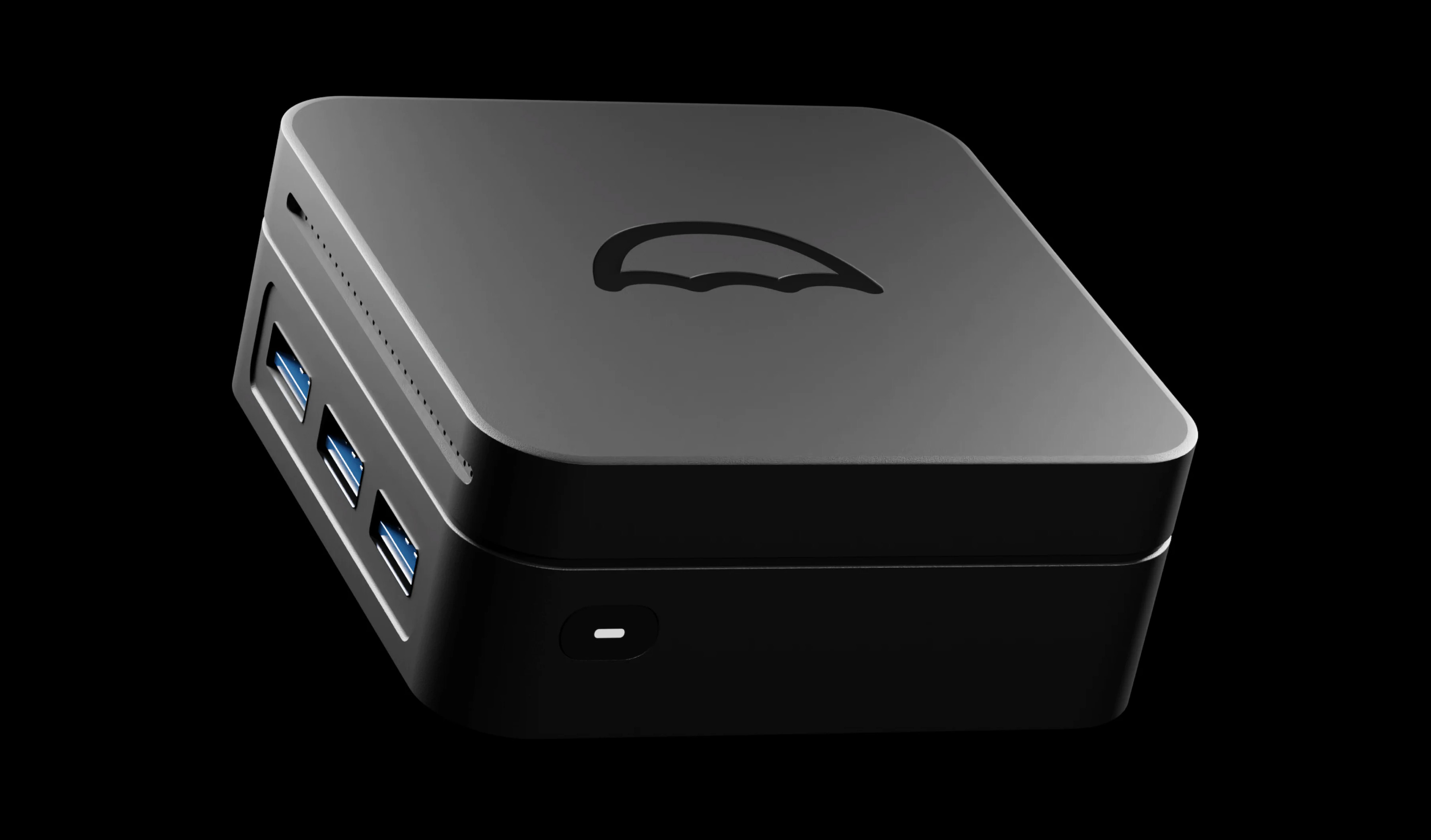
- Raspberry Pi 4 (with 4GB or 8GB RAM recommended if you want to run many Umbrel apps).
- MicroSD card (32GB minimum).
- External SSD (1TB recommended).
Steps:
- Download Umbrel: Head over to the Umbrel download page and download the latest release.
- Flash SD Card: Use a tool like Balena Etcher to flash the downloaded image to your MicroSD card.
- Setup: Insert the MicroSD card into the Raspberry Pi, connect the SSD, and power it up.
- Access Umbrel: Open a browser and visit http://umbrel.local to access the Umbrel dashboard.
- Complete Setup: Follow the on-screen prompts to complete your node setup.
You can also run Umbrel on a PC or Mac. Just run this simple command:
curl -L https://umbrel.sh | bash
3. Core Lightning
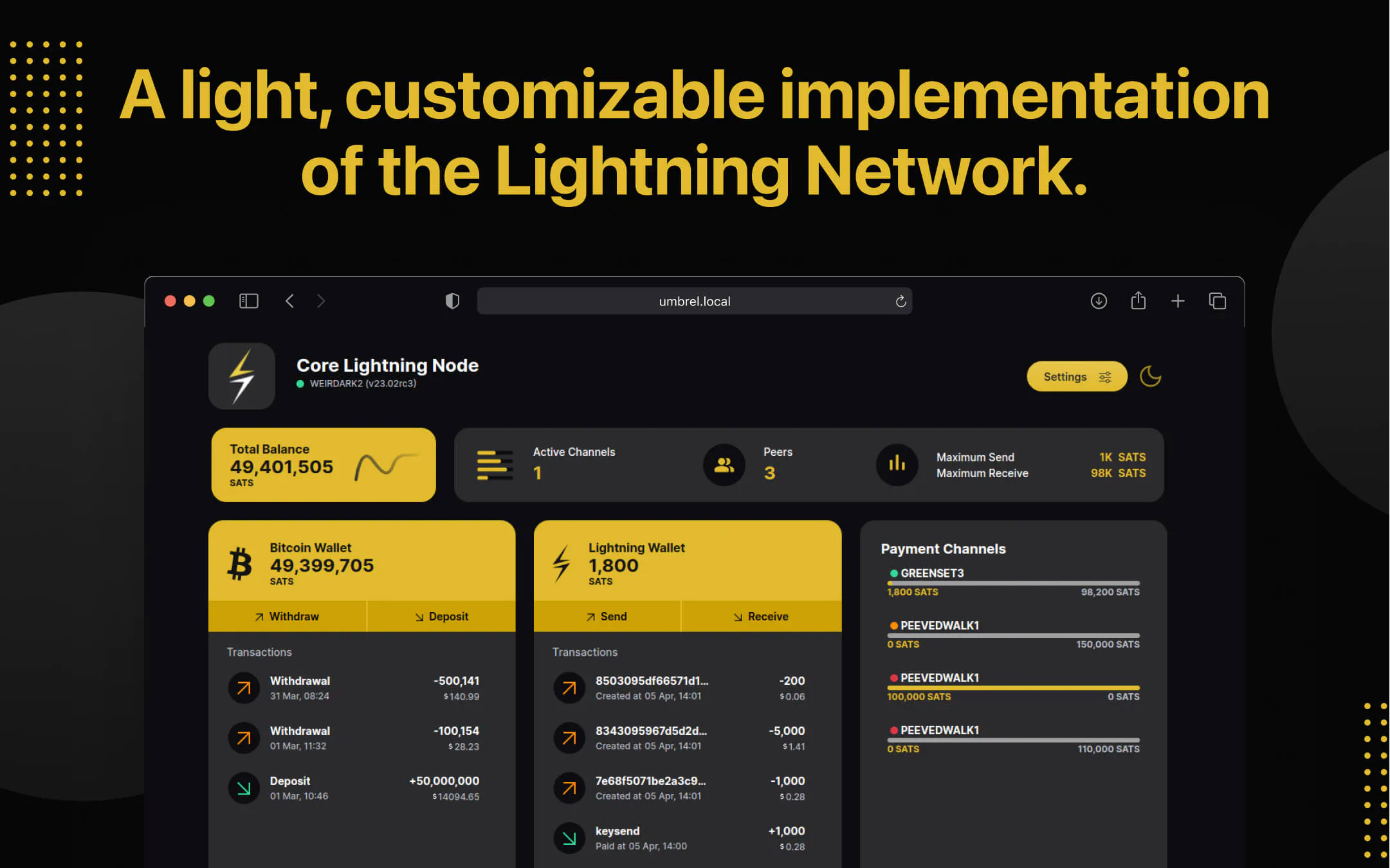
- A Linux-based system or VPS.
- Bitcoin Core synced with the Bitcoin blockchain.
Steps:
- Install dependencies: Before installing C-Lightning, ensure all dependencies are installed.
- Install C-Lightning: Clone the C-Lightning GitHub repository and follow the build instructions.
- Configuration: Configure the config file with the necessary settings.
- Start C-Lightning: Once installed, run C-Lightning with the lightningd command.
C-Lightning is also available in the Umbrel store.
4. Voltage Cloud
Steps:
- Register: Sign up on the Voltage Cloud website.
- Create Node: Once registered, click on "Create Node" and choose your desired configuration.
- Access Node: Once your node is live, you'll be provided with connection details to manage your node.
- Manage Node: Use the provided interface to open channels, send/receive payments, and manage your Lightning node.
5. Start 9 Embassy
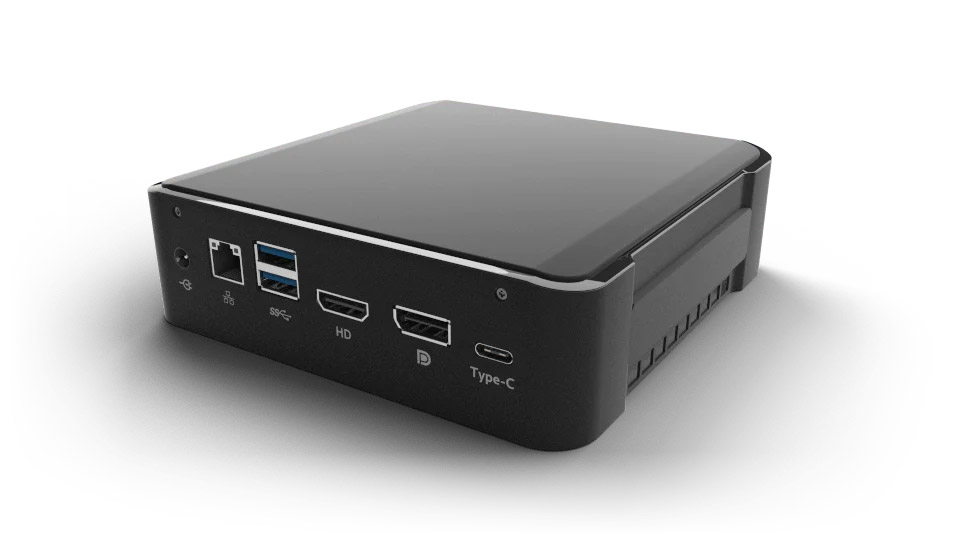
You can pick from 3 options of servers depending on your need. Everything is pre-installed, so this option is possibly the simplest way to get started if you have the funds to buy a dedicated server for your home or office.
6. Citadel
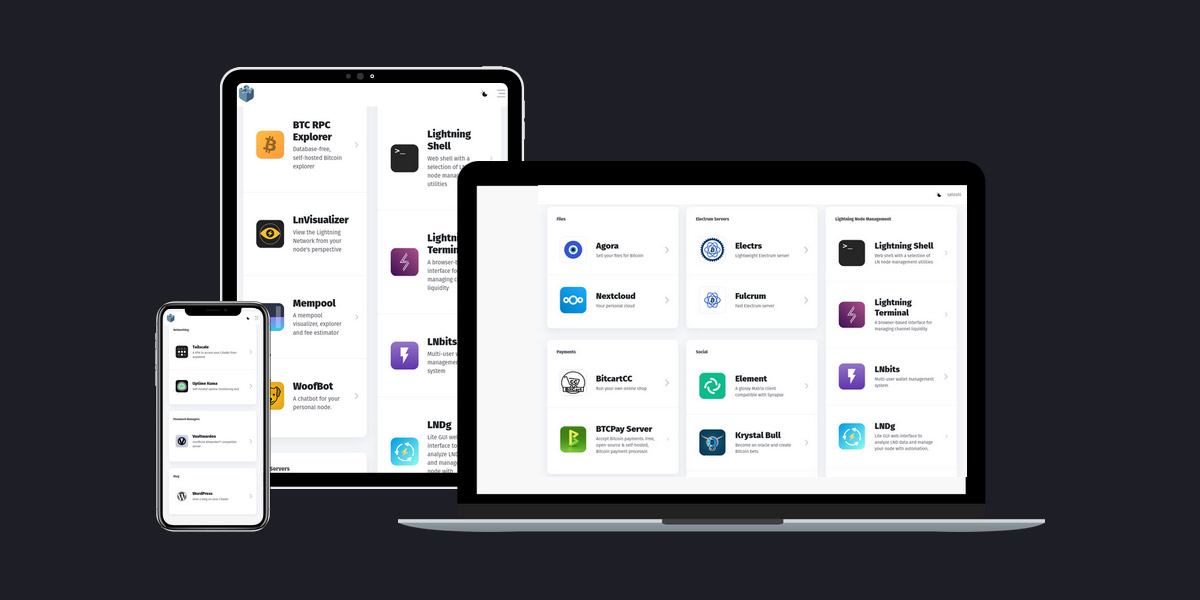
Conclusion
Once you have your node up and running, come back here to LN+ and start opening channels in Liquidity Swaps with other node operators in a cooperative fashion.
Note: Always ensure you have backups of your node and wallet. Lightning Network is still experimental, and there's a risk of funds loss. Always act with caution and only commit funds you're willing to lose.
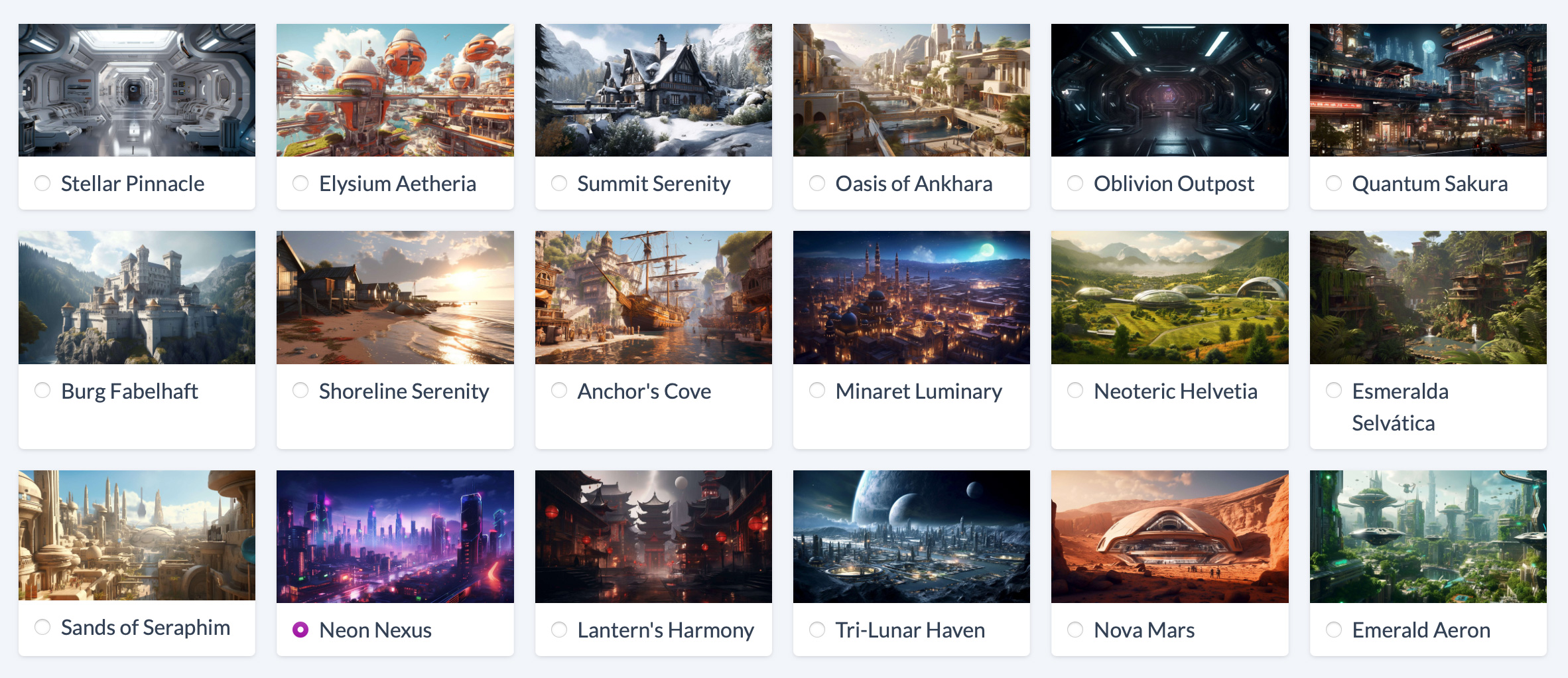
What's your citadel? Pick your node profile background!
Posted over 3 years ago
But that's not all! Your chosen background won't just enhance your profile; it will also automatically update your social image. Within a few minutes, your brand-new look will be visible whenever you share your node on your social platforms.
Getting started is easy. Simply log in with your Lightning node signature, and click on 'Edit' to start customizing your profile. Can't wait to see your creative flair in action!
Oh, and one more thing. You can also add links to your node profile for most social media platforms:
Unlock the power: 7 key benefits of the Bitcoin Lightning Network
Posted over 3 years ago
Here the 7 things LN does really well:
1. Safe
2. Accepted

3. Fast

4. Cheap

5. Private

6. Scaleable

7. Innovative


The Evolution of the Bitcoin Lightning Network: A Historical Perspective
Posted over 3 years ago
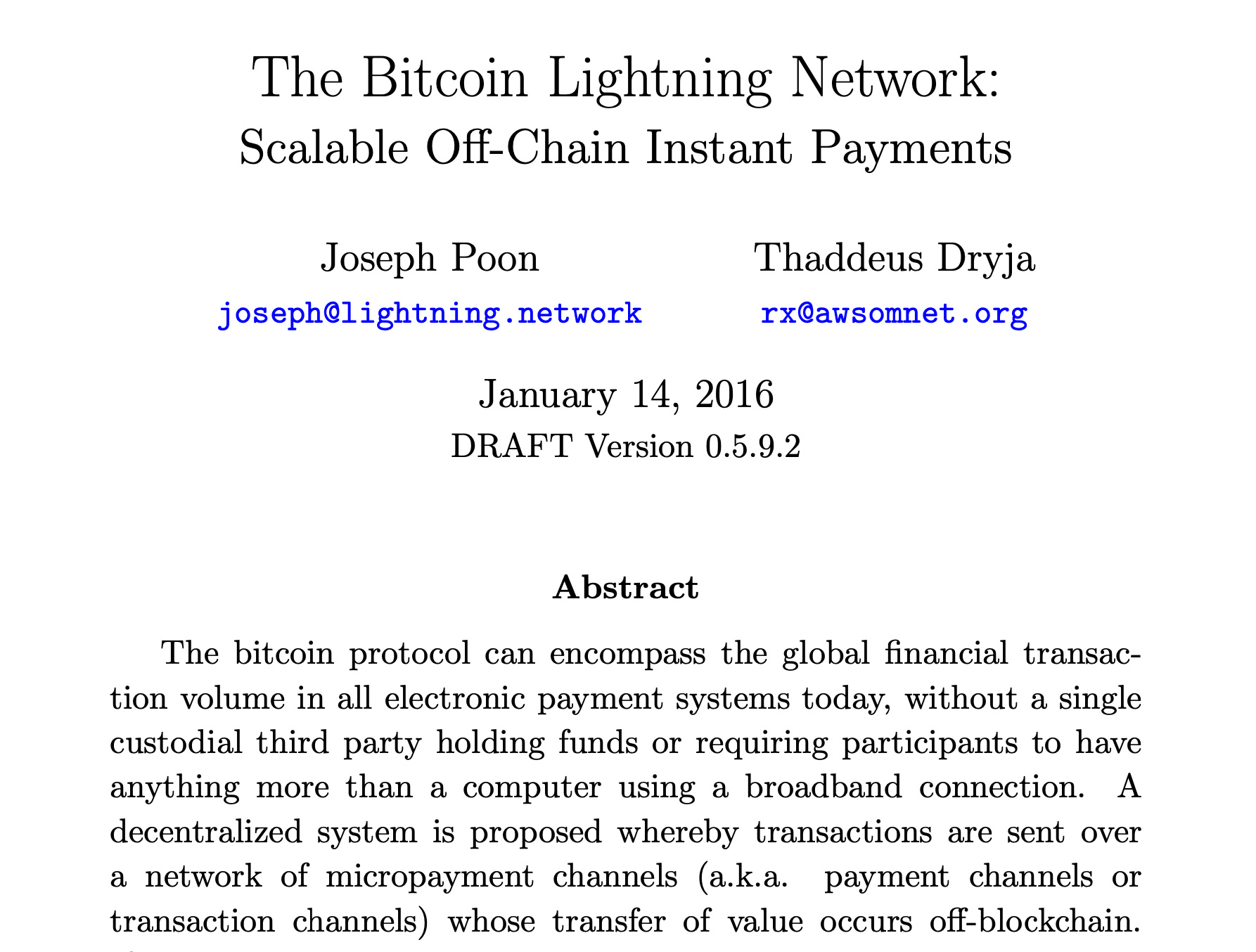
The Genesis: A Whitepaper in 2015
Early Development and Progress
The Lightning Network Testnet
The Mainnet Launch and the First LN Transactions
The Lightning Torch and Growing Awareness
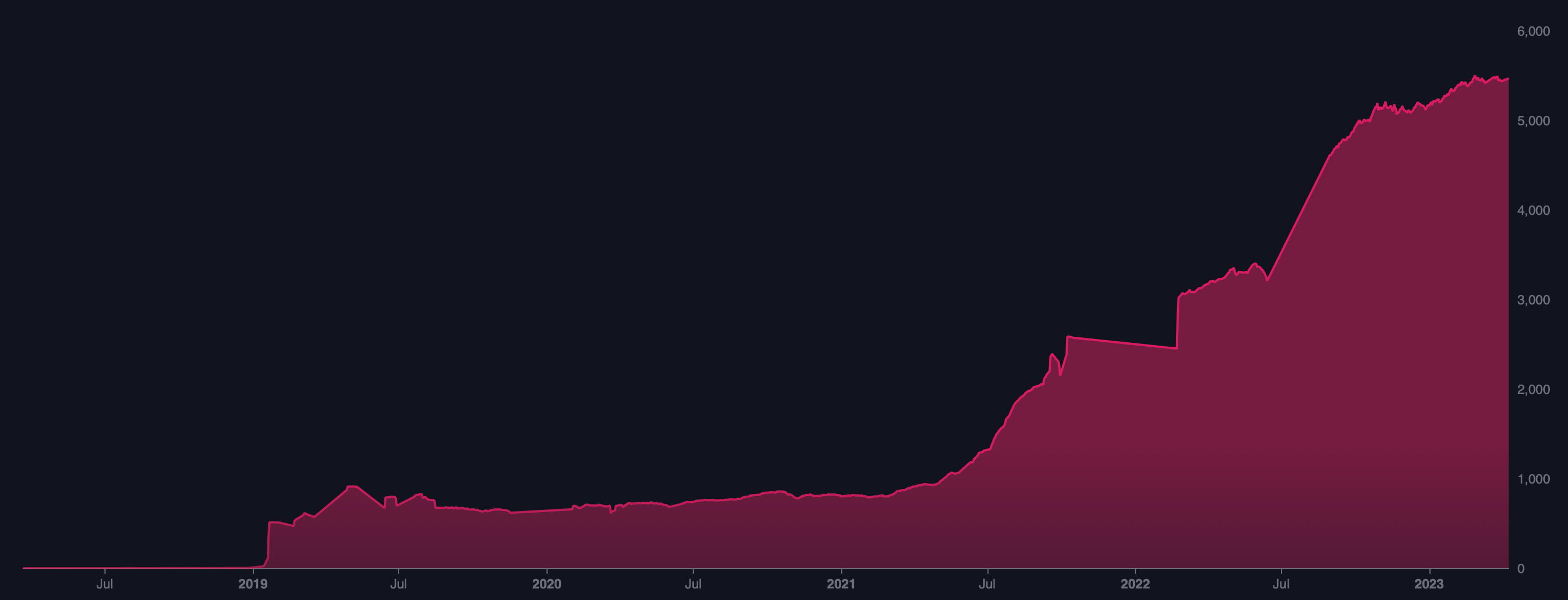
The Growth of Infrastructure and Ecosystem
Protocol Improvements and Enhancements
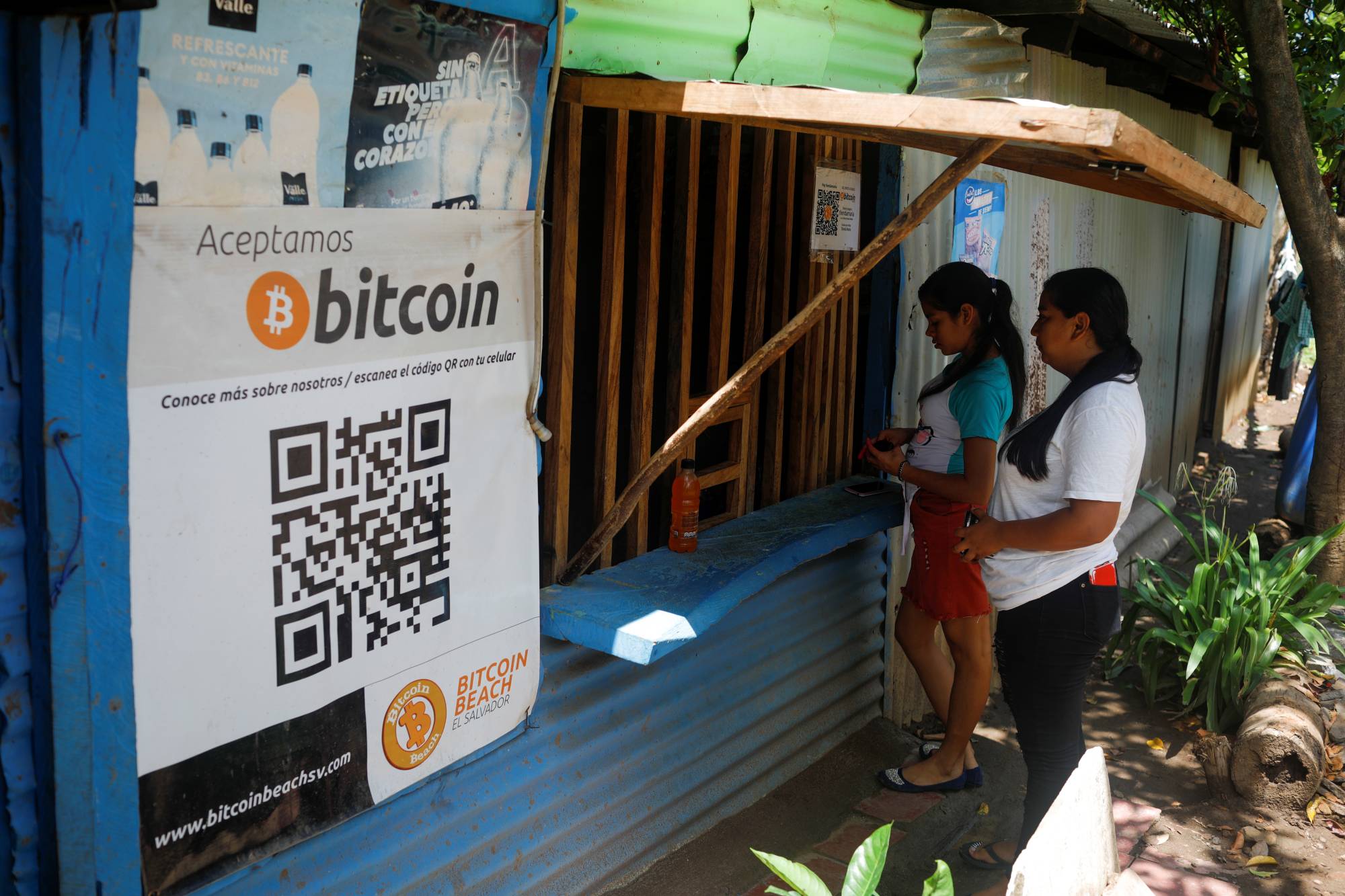
Recent Adoption


Protecting Your Bitcoin Lightning Network Node: Security and Privacy Best Practices
Posted over 3 years ago
Cyber Security
- Choose a secure operating system
The first step in securing your Lightning Network node is to choose a secure operating system. Linux is the recommended operating system for running a Lightning Network node, as it is more secure than other operating systems such as Windows or MacOS. Choose a version of Linux that is actively supported and updated, such as Ubuntu or Debian. - Secure your node's firewall
A firewall is a network security system that monitors and controls incoming and outgoing network traffic. Configure your node's firewall to only allow incoming connections from trusted sources, such as your own IP address or known peers. - Install a VPN
A VPN (Virtual Private Network) is a tool that encrypts your internet traffic and hides your IP address. By using a VPN, you can add an extra layer of security to your Lightning Network node. Only allow connections from trusted VPNs to your node. - Update regularly
Keeping your node's software up-to-date is important for protecting it from vulnerabilities. Enable automatic updates for your operating system and be up to date on your LN implementation. - Protect your private keys
Private keys are the most sensitive piece of information when it comes to securing your Lightning Network node. It's crucial to keep your private keys offline and in a secure location, such as a hardware wallet. Make sure to backup your private keys in multiple locations. The same precautions should be used when generating a macaroon. - Use a secure password
Choose a strong and unique password for your node. Use a combination of uppercase and lowercase letters, numbers, and symbols. Avoid using common words or phrases. - Enable two-factor authentication (2FA)
Two-factor authentication (2FA) adds an extra layer of security to your LN node. If available (ex. on Umbrel) use a hardware wallet or an authenticator app such as Google Authenticator to enable 2FA.
Now, let's look at specific software recommendations for securing your Lightning Network node:
- Use the LND Watchtower service, which monitors the blockchain for attempted breaches of your Lightning Network channels. Check out the Watch Swaps we offer on LN+ for LND nodes that have a built in watchtower service.
- Use the LND Tor hidden service to add an extra layer of privacy to your node's network traffic.
- Enable LND's "disable admin macaroon" option to prevent unauthorized access to your node's administrative API.
- Consider synchronous database replication with LND/postgres.
- Use the CLN Watchtower service, which monitors the blockchain for attempted breaches of your Lightning Network channels. On LN+ we offer Watch Swaps for CLN nodes that use The Eye of Satoshi service.
- Use the CLN Tor hidden service to add an extra layer of privacy to your node's network traffic.
- Enable CLN's "disable admin cookie" option to prevent unauthorized access to your node's administrative API.
- Consider sqlite db mirroring network drives to reduce the chance of state data loss.
Power Redundancy
- Use an uninterruptible power supply (UPS): A UPS is a battery backup system that provides power to your Lightning Network node during a power outage. A UPS can keep your node operational for several hours, depending on its capacity.
- Use a generator: If you live in an area where power outages are frequent, consider using a generator as a backup power source for your Lightning Network node.
- Avoid using Wi-Fi: A wired internet connection is more reliable than a Wi-Fi connection during a power outage.
Internet Redundancy
- Use a wired internet connection: A wired internet connection is more reliable than a wireless connection. If possible, use a wired connection to connect your Lightning Network node to the internet.
- Use a backup internet connection: If your primary internet connection goes down, a backup internet connection can keep your node operational. Consider using a mobile hotspot or a secondary wired connection as a backup.
Did I miss something? Let me know in comments! ⚡️

Protect Your Funds: Introducing Watch Swaps
Posted over 3 years ago
LN+'s first feature, the Liquidity Swaps have been very successful in the last year or so. More than 12K liquidity swaps allowed Bitcoin lightning network node users to cooperate with each other and open 40K channels in a mutually beneficial and efficient way. Liquidity swaps weren't only beneficial to individual node operators but to the network as a whole as well, because together we managed to decentralize the network. LN became highly resilient to single large nodes dropping out or behaving in an unfriendly way. A good test for this was when recently the second largest node (zerofeerouting) in the network dropped out. There was virtually no interruption to payments thanks to the many other nodes and their channels that could be used to route around the missing node.
Watch Swaps
LN watchtowers are nothing new to LN+. We've been running an altruistic watchtower for a long time with the help of Voltage.cloud, but the reality is that this is a centralized solution and it's challenging to keep the server running smooth due to the huge demand.
The new LN+ Watch Swaps will allow node operators to find each other so they can watch each other's nodes using their watchtower services. With this setup, without a centralized watchtower service, even if your node is offline and somebody attacks one of your channels, the watchtower service of your choosing that nobody knows about will act on your behalf and issue a punish transaction that will send the entire capacity of the channel to your node.
Network Benefits
How Does it Work?
The author can start a watch swap and setup the rules, such as type of watchtower (LND Watchtower or The Eye of Satoshi for CLN), the duration, and other unique rules they may have. The size of the watch swap is set automatically based on the author's node's size expessed as an LN+ rank.
As a side node, if you notice your LN+ node rank dropping a bit, that's nothing personal against you. It's expected across the board for many nodes starting now. It's a result of a new formula to calculate the rank, which hopes to help estimate the load a certain node will exert on the peer's watchtower service, so the pairing of nodes within a watch swap service is more fair and sustainable. Small nodes will be paired up with small nodes, and larger ones with larger ones. There are five watch swap sizes: Extra Small, Small, Medium, Large and Extra Large.
Applicants can look through the created watch swaps that match their node's size. Non-matching watch swaps will be filtered out from the view. The applicant can apply to the watch swap, but the application is not automatically accepted. The author can accept or reject the application. The reason for this extra approval step is necessary because watching each other node requires some level of trust. Both the applicant and the author will have a chance to assess each other's through their node profile information. If the application gets rejected, the applicant should not get offended, just apply elsewhere or create a watch swap themselves. Once an application is accepted, both parties will be able to see the URI for their peer's watchtower services, so they can add the service to their nodes.
Your watchtower service URI is kept secret from every party until the application is accepted. Once accepted the URI will be shared with your watch swap partner, and nobody else. In general, remember not to share your own or your watch swap partner's watchtower service URI with anyone else, or they may be able to connect to the service uninvited.
All this may feel complex just by reading about it in theory, but LN+ will guide you through the process step by step so it's easy for you in practice.
What's Next?
- The concept of watchtowers in general and how your specific lightning implementation handles it. LND has a built in watchtower. On Umbrel the settings are exposed under Advanced Settings in your Lightning app (LND). For CLN you need a separate software The Eye of Satoshi (TEOS) to run a watchtower service, and there is a plugin for CLN to connect it.
- How to enable the watchtower service on LND or how to install The Eye of Satoshi for CLN.
- Creating your watchtower service URl. This is different from your URI to open channels.
- Implications of running a watchtower service. It does require some resources on your part to run it (disk space, processing, bandwidth). Be conservative giving away your watchtower service URI.
Once you're knowledgeable about watchtowers and have the service URI ready, go ahead and start a watch swap or apply to an existing one.
Please do test out watch swaps and let me know if you see any issues, so I can fix them ASAP. Any ideas, recommendations are welcome!
